How to Use Anti Delete Messages in GB WhatsApp
Have you ever opened a chat and noticed that a message you were about to read has suddenly disappeared with a notice that reads “This message was deleted”? It happens to almost every WhatsApp user, and the experience can be frustrating when the message contained something important. GB WhatsApp solves this with the Anti Delete Messages feature, which preserves messages that the sender tries to recall. This detailed guide from gbwhatpure.com explains how the feature works, how to enable it, and how to use it responsibly.
What Are Anti Delete Messages
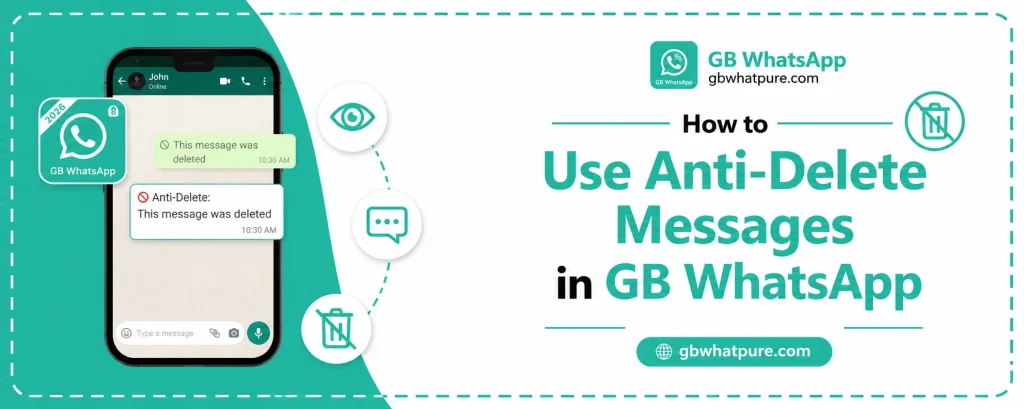
Anti Delete Messages is a built in feature of GB WhatsApp that prevents senders from successfully removing messages from your chat. When the sender taps delete for everyone, the official WhatsApp removes the message and replaces it with a small placeholder notice. GB WhatsApp intercepts that action and instead preserves the original message in the chat along with a small note showing that the sender tried to delete it.
The result is that you can read every message, even ones the sender tried to recall. The feature works in both individual and group chats, and it covers all message types including text, images, voice notes, videos, documents, and contact cards. It is one of the most popular reasons people switch to GB WhatsApp in the first place.
Why the Feature Exists
There are several legitimate reasons why users want to recover deleted messages. A friend might share an address and then delete it by mistake, leaving you with no way to find the location. A colleague might send a file and then recall it because they realized it was the wrong version. A family member might send a meaningful message and then regret it within seconds.
In each of these cases, the sender did not intend to cause inconvenience, but the official app’s delete for everyone feature is unforgiving. Anti Delete Messages provides a soft safety net that keeps important content accessible even when the sender changes their mind. The feature respects the sender’s intent to remove the message from their own device while still preserving it on the recipient’s device.
How to Enable Anti Delete Messages
Activating the feature takes only a few seconds. The setting is located in the privacy section of the mod, alongside other privacy controls.
Open GB WhatsApp and tap the three dot menu in the top right corner of the main chat screen. Navigate to GB Settings or Universal Settings depending on your version, and find the Privacy section. Look for the option labeled Anti Delete Messages, Delete Message Recovery, or similar wording depending on the build. Toggle the switch to enable the feature.
Once enabled, the app will start preserving deleted messages immediately. There is no need to restart the app, and existing chats will begin retaining any new messages that the sender tries to delete. The setting applies globally to all chats, but you can also configure it to apply only to specific contacts or groups if you prefer a more selective approach.
Where Deleted Messages Are Saved
GB WhatsApp does not hide the recovered messages. They remain in their original position in the chat, with a small indicator that the sender attempted to delete them. The indicator is a subtle tag that says something like “This message was deleted by the sender” so you always know that the message was recalled.
In addition to keeping messages in the chat, GB WhatsApp also stores them in a dedicated section called the Deleted Messages Log. This log is accessible from the privacy settings and provides a chronological list of every recovered message, organized by contact. It is especially useful for users who want to review recalled messages at a later time without scrolling through entire chat histories.
Supported Message Types
Anti Delete Messages works with virtually every type of content that the official app supports. The table below shows the message types covered by the feature.
| Message Type | Recovery Supported |
|---|---|
| Plain text | Yes |
| Images | Yes |
| Videos | Yes |
| Voice notes | Yes |
| Documents | Yes |
| Contact cards | Yes |
| Location | Yes |
| Stickers | Yes |
| Polls | Yes |
| Reactions | Limited |
The only category that has limited support is reactions, because the official app handles reactions as a separate layer on top of the original message. In most cases, the original message is still recovered even if the reaction cannot be restored.
How to Use the Deleted Messages Log
The Deleted Messages Log is a quiet but powerful tool. To access it, go to GB Settings, then Privacy, then Anti Delete Messages. The log will show every recovered message along with the sender’s name, the original timestamp, and the time at which the deletion was attempted. This makes it easy to look up a specific message without searching through your entire chat history.
You can also filter the log by contact or by message type. If you only want to see recovered images from a particular friend, the filter option narrows down the results in seconds. The log can be cleared manually if you prefer a fresh start, and it can also be exported to a text file for safekeeping.
When Anti Delete Messages Is Especially Useful
There are several scenarios in which the feature really shines. The first is the work scenario, where colleagues often delete messages by mistake when they realize they shared a file in the wrong group. The second is the family scenario, where a parent might delete a message they considered private, but the recipient still needs the information. The third is the friendship scenario, where a shared address or phone number gets deleted, and the recipient has no other way to retrieve it.
In all of these cases, Anti Delete Messages acts as a quiet safety net that prevents small mistakes from becoming larger problems. The feature runs in the background, requires no maintenance, and adds no friction to the chat experience.
Ethical and Privacy Considerations
While the feature is technically impressive, it is worth thinking about the ethical side. The sender chose to delete the message, and recovering it without their knowledge can feel intrusive in some situations. The most respectful approach is to enable the feature but use it judiciously. If a friend deletes a message out of embarrassment, the kindest thing may be to pretend you did not see it. If a colleague deletes a file by mistake, recovering the file and quietly sending the correct version is the helpful path forward.
GB WhatsApp does not notify the sender that you have recovered their message, so the choice about how to act on the recovery is entirely yours. The feature simply ensures that you have the option to see the content when it is genuinely needed.
How to Disable Anti Delete Messages
If you decide that the feature is not for you, disabling it is just as easy as enabling it. Return to GB Settings, Privacy, and Anti Delete Messages. Toggle the switch off, and the app will immediately stop preserving deleted messages. Previously recovered messages will remain in the log until you clear it, giving you a chance to review the content before it disappears for good.
Many users enable the feature during busy work weeks and disable it during more relaxed periods. This seasonal approach lets you adapt the level of recovery to your current communication style.
Common Questions About Recovered Messages
Some users wonder whether recovered messages affect backup files. The answer is yes, when you create a local backup in GB WhatsApp, recovered messages are included along with the rest of your chat history. This means the recovery is preserved across reinstalls and device migrations, which is a small but valuable detail for users who maintain long term backups.
Another common question is whether the feature works in group chats. The answer is yes, with one nuance. The feature recovers messages deleted by any group member, but messages deleted by the group admin are sometimes handled differently because of the special privileges of admin accounts. In most cases, the recovery still works, but the indicator label may differ.
Frequently Asked Questions
No, GB WhatsApp does not notify the sender. The recovery happens entirely on your device, so the sender has no way of knowing that their message was preserved.
No, the feature only works for messages deleted after the feature is enabled. Messages deleted before installation are gone permanently because they were already removed from the WhatsApp servers.
The feature adds a small amount of data to the app database because it stores extra metadata about recovered messages. On modern phones with ample storage, the impact is negligible. On devices with very limited storage, the log can be cleared periodically to free up space.
Yes, Anti Delete Messages works in both personal and business chats. The behavior is the same regardless of whether the sender is using a standard or business account.
The sender is not notified when you screenshot a message in GB WhatsApp. The screenshot behaves the same as in the official app, with no special alerts sent to the other party.
Final Thoughts
Anti Delete Messages is one of the most useful and uniquely powerful features in WhatsApp GB. It solves a real problem that every WhatsApp user has experienced, and it does so in a way that is unobtrusive and easy to use. Enable the feature from the privacy settings, browse the Deleted Messages Log when you need to look something up, and use the recovered content responsibly. For more tips and the latest version of the mod, keep gbwhatpure.com bookmarked.
![How to Create Stickers for GB WhatsApp Pro [Step By Step]](https://gbwhatpure.com/wp-content/uploads/2026/07/How-to-Create-Stickers-for-GB-WhatsApp-Pro-Step-By-Step-768x307.webp)