How To Fix Ban Issues on GB WhatsApp and Tips & Tricks
One of the most common concerns among GB WhatsApp users is the possibility of facing a temporary ban from Meta. The company actively discourages the use of modified clients, and its automated systems can flag accounts that show unusual behavior. The good news is that most bans are temporary, and the steps to recover are well understood. This guide from gbwhatpure.com explains the different types of bans, how to recover from each one, and the practical tips that keep your account safe in the long run.
Understanding How Meta Detects Mod Users
Meta does not publish the exact rules that its ban systems use, but the community has learned a great deal through years of observation. The detection systems look at app signatures, behavior patterns, network fingerprints, and reporting signals. When any of these triggers fire, the system can issue a temporary restriction on the affected account.
The triggers range from obvious to subtle. Bulk messaging to non contacts, automation that sends messages faster than a human could, and repeated use of mod only features across many accounts all raise red flags. The system also reacts to user reports, so if multiple contacts report your number as spam, the system will investigate even if your behavior is otherwise normal.
Types of Bans You Might Face
GB WhatsApp users can encounter three broad categories of restrictions. Each one has a different severity and a different recovery path. Understanding which one you are facing is the first step toward resolving it.
| Ban Type | Duration | Trigger | Recovery Method |
|---|---|---|---|
| Temporary Restriction | 24 to 72 hours | Sending too many messages | Wait for the timer to expire |
| Feature Ban | 1 to 7 days | Using mod exclusive features heavily | Wait and reduce activity |
| Permanent Ban | Indefinite | Spam, automation, repeated violations | Appeal through the official app |
The vast majority of users will only ever encounter the first type. Feature bans are less common and usually affect users who push the mod to its limits. Permanent bans are extremely rare for personal users and almost always involve outright spam or abuse.
Step by Step Recovery from a Temporary Ban
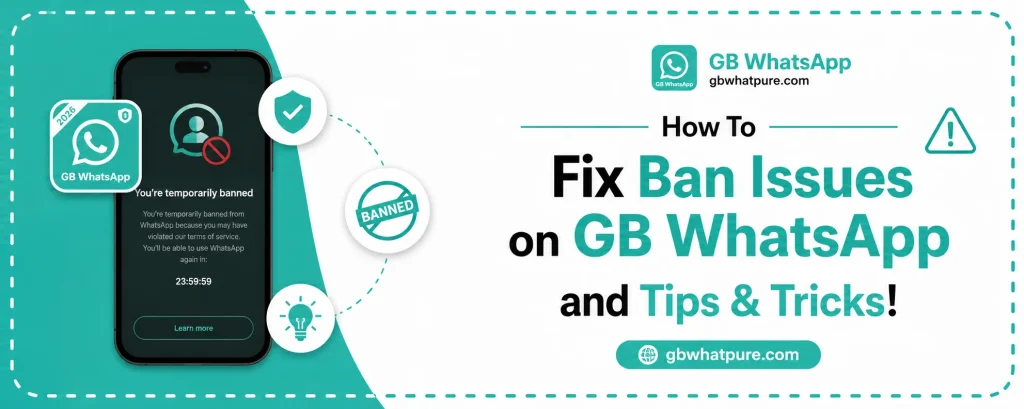
If you see a message that says your account is temporarily restricted, do not panic. The recovery process is straightforward and almost always succeeds when followed correctly.
The first step is to stop using GB WhatsApp for the duration of the ban. Continuing to send messages during a temporary restriction can escalate the issue to a feature ban or a longer restriction. Switch to the official WhatsApp for urgent conversations or use a secondary number if you have one.
The second step is to wait for the timer to expire. The countdown is shown in the warning message inside the app. Most temporary restrictions last 24 hours, and the app will automatically lift the restriction once the timer completes.
The third step is to switch back to the latest version of GB WhatsApp from gbwhatpure.com once the ban expires. The latest build includes improved anti ban protection that reduces the chance of a repeat restriction. Make sure you are using the most recent version, because older builds are more likely to trigger the system.
The fourth step is to slow down your messaging activity for a few days after the ban lifts. Sending a flood of messages immediately after the restriction expires can flag the account again. A normal, human like pace of communication reassures the system that your account is being used legitimately.
How to Appeal a Permanent Ban
If Meta has issued a permanent restriction on your account, an appeal is possible through the official WhatsApp. Open the official WhatsApp app and try to verify your number. When you see the ban message, tap on the Support or Request Review link and submit a clear, polite appeal explaining the situation.
In your appeal, be honest about the fact that you were using a modded client. Acknowledge that the mod violates Meta’s terms of service, and commit to using the official app going forward. Many appeals are successful when the user demonstrates genuine intent to comply with the rules.
The review process can take a few days. During that time, avoid creating new accounts or attempting to bypass the ban, because these actions can result in a permanent block on your device as well. Once the appeal succeeds, install the official WhatsApp and continue your conversations there.
Tips to Avoid Bans in the First Place
The best way to deal with a ban is to never trigger one. A few simple habits dramatically reduce the risk of any restriction, and they fit naturally into how most people already use the mod.
- Send messages at a human pace, especially to people who are not in your contact list
- Avoid bulk messaging, which is the single most common ban trigger
- Do not use automation tools, even if a third party offers them
- Keep GB WhatsApp updated to the latest version from gbwhatpure.com
- Reduce the use of mod only features in large group chats where activity is monitored
- Do not run multiple modded accounts from the same device at the same time
- Limit the number of status deletes and message revokes you perform in a day
These habits are easy to follow and form a strong defense against the automated systems. The mod is designed for personal use, and treating it that way keeps your account in good standing.
Why Anti Ban Protection Matters
The GB WhatsApp developers have invested heavily in anti ban technology over the years. Modern builds include several layers of protection that reduce the chance of triggering the automated systems. The most important layer is the use of the original WhatsApp signature for network communication, which makes the mod look more like the official app to the servers.
Another layer is the rate limiter, which automatically throttles message sending if it detects an unusually high volume of activity. The final layer is the periodic signature rotation, which refreshes the mod’s digital fingerprint to stay aligned with the official app’s most recent changes.
These protections are highly effective for normal users. They are not, however, a license to abuse the platform, because the underlying detection systems can still catch users who engage in clear violations.
What to Do If Multiple Accounts Get Banned
If you operate more than one account on the same device and both get restricted, the device itself may be flagged. This is rare but possible, and it requires a more thorough recovery process.
Start by switching to the official WhatsApp on both accounts and using them normally for a few weeks. This gives the system time to forget the previous activity. Then update GB WhatsApp to the latest version from gbwhatpure.com, but only use it on one account at a time. Avoid running the mod and the official app side by side with overlapping contact lists, because the system can correlate the activity.
If the device level flag persists, consider performing a clean factory reset on your phone before reinstalling the apps. A factory reset removes the device fingerprint that triggered the original detection and gives you a clean slate.
Long Term Strategies for Safe Mod Use
Beyond avoiding bans, a few long term strategies make GB WhatsApp a sustainable part of your daily life. Treat the mod as a personal tool rather than a marketing platform. Keep your contact list clean and your groups focused. Use the official app for work related conversations that may be subject to compliance review, and reserve the mod for personal chats where the extra features provide the most value.
Subscribing to update notifications on gbwhatpure.com is also valuable because the developers frequently refine the anti ban protection based on the latest detection patterns. Staying current ensures your account benefits from every improvement.
Finally, listen to the community. Long time users share their experiences in forums and chat groups, and the patterns they describe are remarkably consistent. If the community is reporting a wave of restrictions after a particular behavior, take the warning seriously and adjust your habits accordingly.
Frequently Asked Questions
Most temporary bans last between 24 and 72 hours. The exact duration is shown in the warning message inside the app. Waiting for the timer to expire is the only way to lift a temporary restriction.
No, sending messages during a temporary restriction can escalate the issue to a longer ban. Switch to the official WhatsApp or a secondary number for urgent conversations while the timer runs.
No, updating the app does not lift a ban that is already in place. However, the latest version from gbwhatpure.com includes improved anti ban protection that reduces the chance of future restrictions.
Meta’s systems can detect the app’s network signature when you connect to the WhatsApp servers. The anti ban technology in the mod helps disguise this signature, but it is not 100 percent invisible. The detection is more about behavior than about the app itself.
Permanent bans are extremely rare for users who chat normally without bulk messaging or automation. The vast majority of restrictions are temporary and resolve automatically after the countdown completes.
Final Thoughts
Ban issues are one of the most discussed topics in the GBWhatsApp community, but they are also one of the most manageable. With the anti ban protection in the latest build, the tips outlined in this guide, and a responsible approach to daily usage, the chances of ever facing a serious restriction are very small. Download the most recent version from gbwhatpure.com, follow the safe usage habits, and enjoy a feature rich messaging experience with peace of mind.
![How to Switch from GBWhatsApp Pro to WhatsApp [Tutorial]](https://gbwhatpure.com/wp-content/uploads/2026/07/How-to-Switch-from-GBWhatsApp-Pro-to-WhatsApp-Tutorial-768x307.webp)